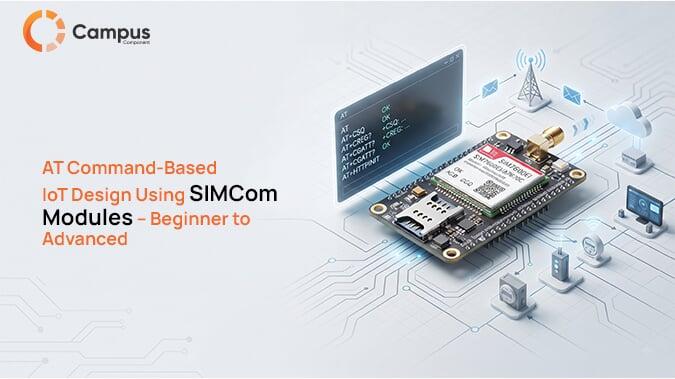
 Understanding AT Commands and SIMCom Modules
What are AT commands?
AT commands are text-based instructions used to communicate with modems and communication modules. They originated with modem control and remain widely used for configuring cellular hardware and requesting information from it.
In an IoT setup, the host MCU sends AT commands to the module over a UART connection and receives a response for each command. For example, sending AT is commonly used to check whether the module is responding.
SIMCom AT commands simplify IoT development by allowing the host processor to control cellular module functions without having to manage the entire cellular communication protocol stack on its own.
SIMCom modules expose:
Basic AT commands for common modem operations
Extended commands beginning with +
Manufacturer-specific commands for additional features
Responses such as OK, ERROR, or more detailed + CME ERROR messages
The exact command set depends on the module family, firmware and supported network technology. SIMCom publishes separate AT command manuals for different product families, including SIM76XX and SIM7070/SIM7080/SIM7090 series.
In an IoT design, SIMCom IoT modules manage cellular connectivity, allowing the host processor to focus on tasks such as running application logic, processing sensor data, and controlling the device.
Getting Started: SIMCom Module Setup and Basic AT Commands
Before writing application firmware, developers should select a module according to the required network technology, geographic coverage, data requirements, interfaces, power budget and certifications.
A basic setup normally includes:
A compatible SIMCom module and development board
A dependable power supply that can meet the current needs of the module during cellular transmission.
A suitable antenna
A valid SIM or eSIM arrangement where supported
A host computer or MCU
UART or USB connectivity, depending on the module
SIMCom offers hardware guides and UART application notes for various product lines. Always check the relevant product documentation before starting the setup.
Once the hardware is connected, a serial terminal can be used to begin SIMCom module programming and verify communication.
AT Command | Purpose |
AT | Checks whether the module responds |
ATI | Displays module identification information |
AT+CPIN? | Checks SIM PIN status |
AT+CSQ | Reports signal quality |
AT+CREG? | Checks circuit-switched network registration status |
AT+CGREG? | Checks packet-domain registration status on supported modules |
The commands provide a useful starting point for SIMCom modem initialization and basic diagnostics.
However, command availability and behavior can vary. A command that is valid on one SIMCom family has different support or syntax on another. Always verify the command against the AT manual for the exact module and firmware version you are using.
Connecting SIMCom Modules to the Internet and Cloud Platforms
Once the module is responding and registered, the next stage is establishing cellular IoT connectivity.
The general process looks like this:
Confirm SIM availability and network registration.
Configure the cellular data profile.
Set the operator-provided APN where required.
Activate the data connection using the commands supported by the module.
Establish an application-level connection such as HTTP, HTTPS or MQTT.
- Exchange sensor or device data with the cloud platform.
For instance, supported modules use AT+CGDCONT to configure the PDP context, while AT+CGATT? checks whether the device is attached to the packet data network.
The actual activation sequence is not universal. SIMCom's SIM7600 and SIM7080 families have different command documentation and feature sets, so developers should follow the relevant product manual instead of copying a sequence from another module.
HTTP and MQTT communication
Many cellular IoT designs use HTTP or MQTT for application-level communication.
With HTTP AT commands, a device can send sensor measurements or request information from a web service where the module firmware provides the necessary HTTP functionality.
MQTT is useful when an application requires lightweight publish-and-subscribe messaging. MQTT using AT commands can allow the host MCU to publish sensor readings to a broker and subscribe to topics for receiving commands.
SIMCom documentation includes MQTT and secure communication application material for some module families, but support and command syntax remain model-specific.
This is why SIMCom internet connectivity should be treated as a combination of network configuration, module capabilities, operator settings and application protocol support rather than as a single AT command sequence.
Advanced IoT Design Using AT Commands and SIMCom Modules
After confirming that the commands work correctly, the next step is to develop embedded software that can communicate with the modem reliably.
A common architecture connects the cellular module to an MCU through UART. A Nuvoton MCU or another compatible controller can process sensor data, run application tasks, and send AT commands, while the SIMCom module provides cellular connectivity.
A robust UART communication implementation should include:
A transmit and receive buffer
Command and response parsing
Timeouts for every important operation
State tracking for network and data connections
Handling of unsolicited result codes
Recovery and reconnection procedures
Unsolicited responses are particularly important. A cellular module may generate asynchronous notifications when network status changes, messages arrive or another event occurs. If firmware expects a response only after sending a command, these asynchronous messages can cause parsing errors.
For advanced SIMCom AT commands, developers should therefore build a command-response layer instead of scattering raw AT strings throughout the application code.
Security is another important step. Where supported by the selected module and firmware, developers can use TLS with HTTPS or MQTT over TLS to protect data in transit. SIMCom provides SSL/TLS-related documentation for relevant module families.
Battery-powered devices also need careful power planning. Sleep modes, controlled modem activation, transmission frequency and network reconnection behavior can significantly influence energy consumption. SIMCom publishes sleep-mode guidance for some module families, which should be considered alongside the hardware design documentation.
This is where SIMCom MCU integration, SIMCom MQTT integration, and low-power cellular IoT design become more than simple command execution. The firmware must account for real network conditions, power constraints and unexpected modem behavior.
Advanced IoT Design Using AT Commands and SIMCom Modules
Once basic communication works, the challenge shifts from sending individual commands to building reliable embedded software around the modem.
A common architecture connects the cellular module to an MCU through UART. An MCU from Nuvoton or another compatible vendor can manage sensors, application logic and the AT command interface while the SIMCom module handles cellular communication.
A robust UART communication implementation should include:
A transmit and receive buffer
Command and response parsing
Timeouts for every important operation
State tracking for network and data connections
Handling of unsolicited result codes
Recovery and reconnection procedures
Unsolicited responses are particularly important. A cellular module may generate asynchronous notifications when network status changes, messages arrive or another event occurs. If firmware expects a response only after sending a command, these asynchronous messages can cause parsing errors.
For advanced SIMCom AT commands, developers should therefore build a command-response layer instead of scattering raw AT strings throughout the application code.
Security is another important step. Where supported by the selected module and firmware, developers can use TLS with HTTPS or MQTT over TLS to protect data in transit. SIMCom provides SSL/TLS-related documentation for relevant module families.
Battery-powered devices also need careful power planning. Sleep modes, controlled modem activation, transmission frequency and network reconnection behavior can significantly influence energy consumption. SIMCom publishes sleep-mode guidance for some module families, which should be considered alongside the hardware design documentation.
This is where SIMCom MCU integration, SIMCom MQTT integration, and low-power cellular IoT design become more than simple command execution. The firmware must account for real network conditions, power constraints and unexpected modem behavior.
Ready to Build Your IoT Project with SIMCom Modules?
From basic modem configuration to advanced cloud connectivity, the right module and supporting components can make IoT development more reliable.
Explore SIMCom cellular modules and compatible electronic components through Campus Component for connected devices, remote monitoring, industrial automation and other IoT applications.
The Bottom Line
Learning AT command-based IoT design using SIMCom modules starts with simple tasks such as checking modem responses and network registration, but reliable products require much more. Developers eventually need to handle AT command set differences, UART buffering, asynchronous responses, network failures, cloud protocols, TLS, power management and recovery logic.
For engineers building connected sensors, remote monitoring equipment, industrial IoT gateways or other embedded products, selecting the right cellular module is an important part of the overall design.
Campus Component supports engineers, OEMs, electronics manufacturers and embedded developers in sourcing electronic components for IoT, industrial automation, automotive electronics and embedded applications. Its component portfolio can help teams explore SIMCom modules, microcontrollers and other components required for connected product development.
FAQs:
1. Can I send SIMCom AT commands directly from a microcontroller?
Yes. A compatible microcontroller can send AT commands to a SIMCom module, usually through UART. The firmware should manage responses, timeouts, errors, and unsolicited messages while using compatible voltage levels and UART settings.
2. How are AT commands different from an SDK in IoT development?
AT commands let a host processor control a module through a command interface, while an SDK provides libraries, APIs, and tools for application development. The right option depends on the module and project requirements.
3. Do SIMCom modules need a SIM card to connect to an IoT cloud platform?
For cellular connectivity, a compatible SIM or eSIM profile with an active service is generally required. The exact requirements depend on the SIMCom module and the network technology it supports.
4. How can I secure IoT data sent through a SIMCom module?
Use TLS-secured connections, validate server certificates, protect credentials, and avoid unencrypted communication. Certificate management, firmware security, and cloud access controls are also important.
5. Can the same AT command program work with different SIMCom modules?
Not always. While some basic commands may be similar, network, HTTP, MQTT, and power-management commands can vary by model and firmware. Always check the AT command manual for the specific module.